MeetMemo records and transcribes every meeting privately on your Mac. Notes sync to Apple Notes. 100% local processing.
Minimalist, modern, and built for performance. Capture every insight without leaving your workflow.

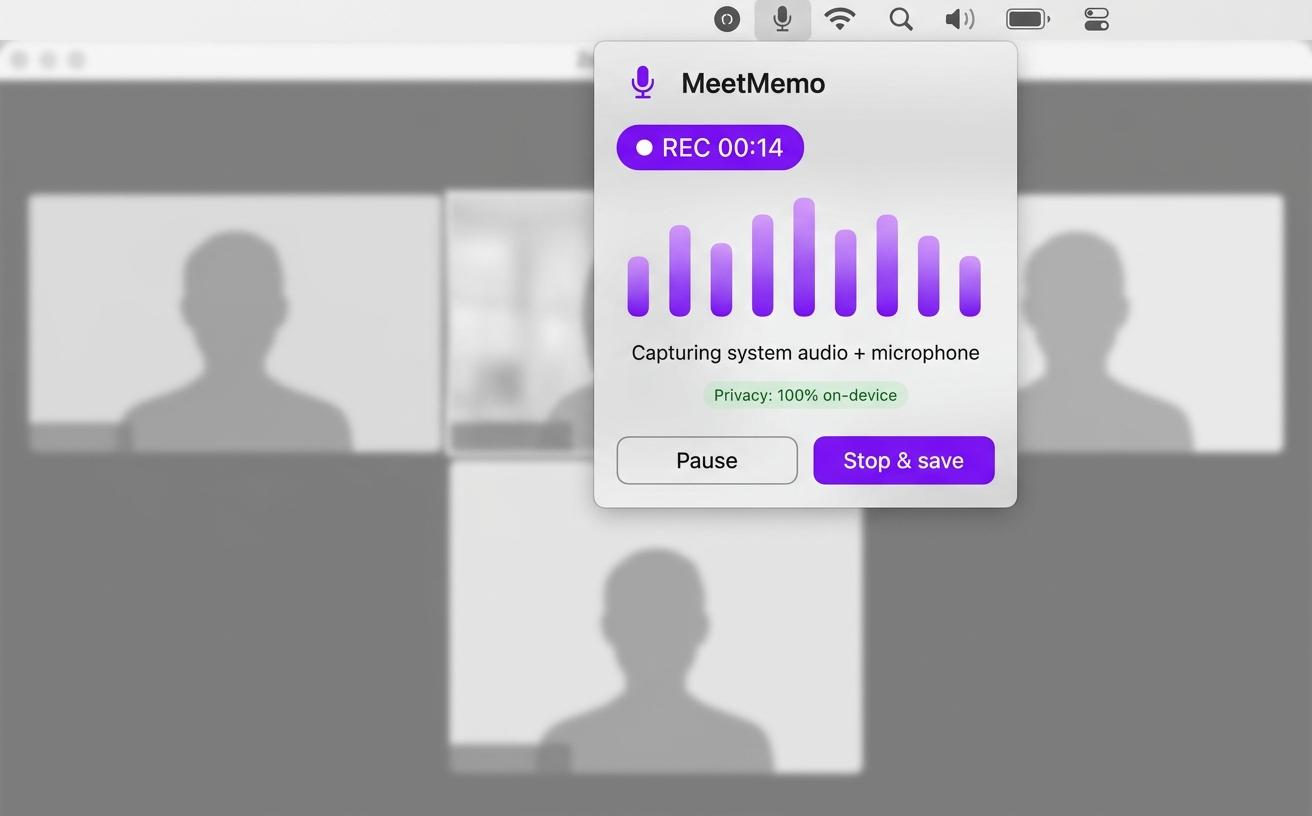
Open the app and join your meeting. MeetMemo runs in the background and starts recording automatically. No bots, no browser extensions.
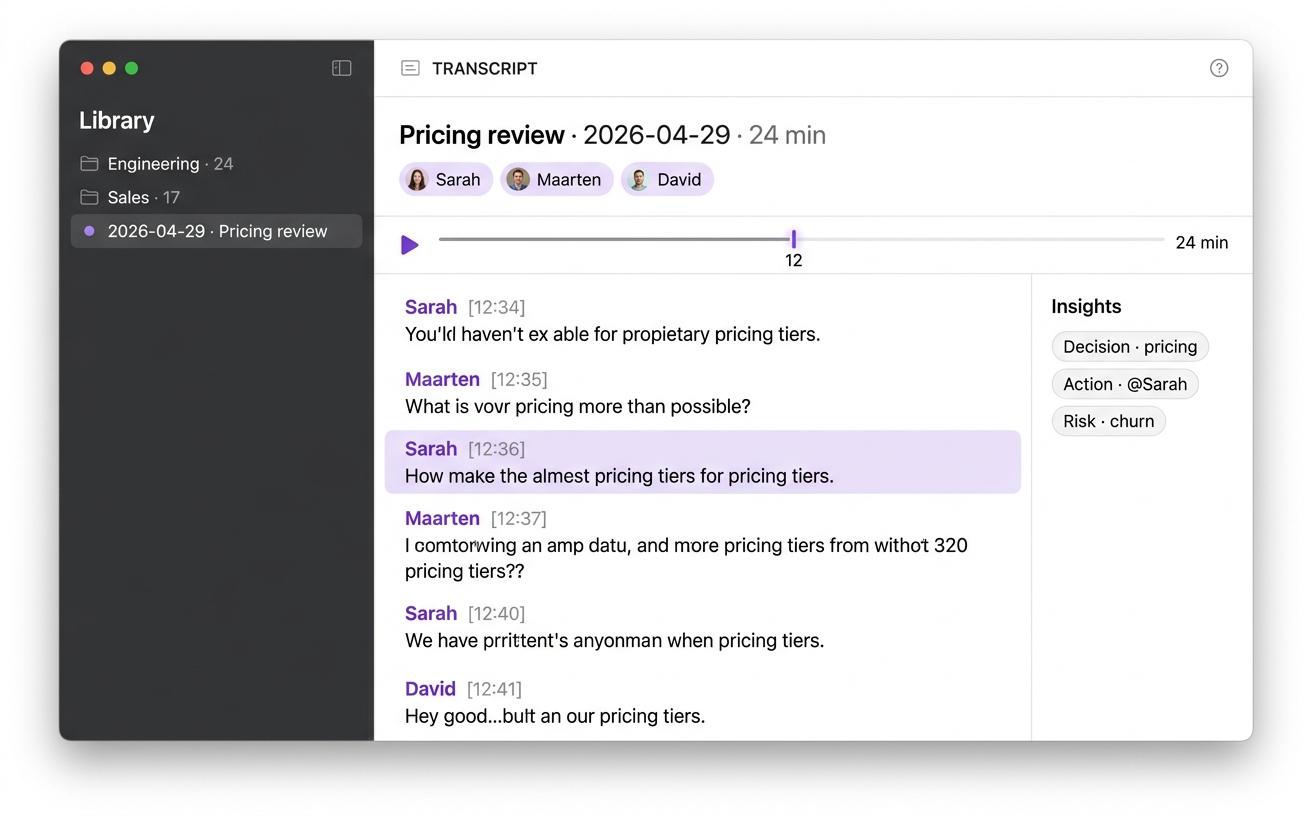
MeetMemo transcribes in real time using on-device AI. Speaker identification, 94%+ accuracy, Dutch, English and French. Your audio never leaves your Mac.
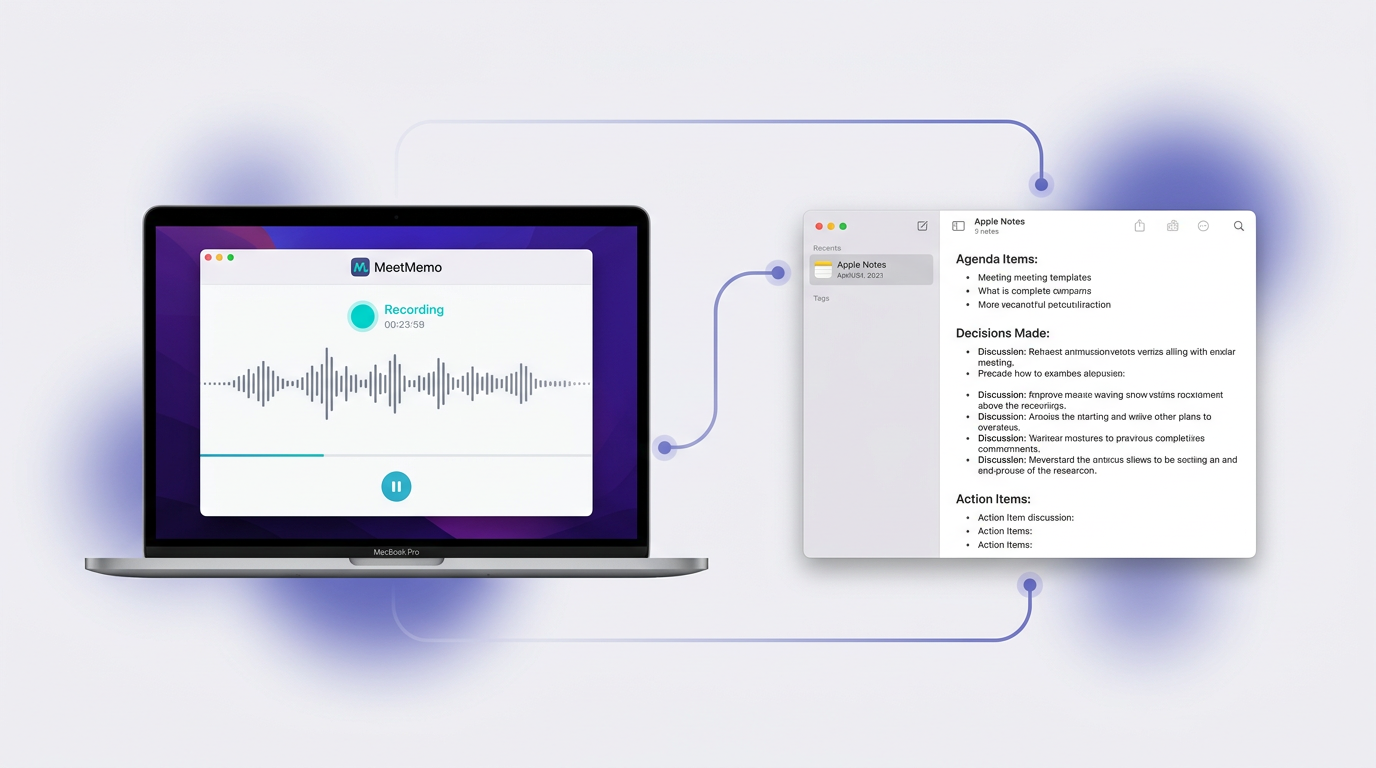
When your meeting ends, structured notes with decisions and action items sync directly to Apple Notes and your Knowledge Base. Zero manual work.
Can't type and think at the same time
Video call notes are always incomplete
Switching between apps kills your flow
You shouldn't have to choose between participating in a meeting and documenting it. MeetMemo captures everything so you can focus on what matters.
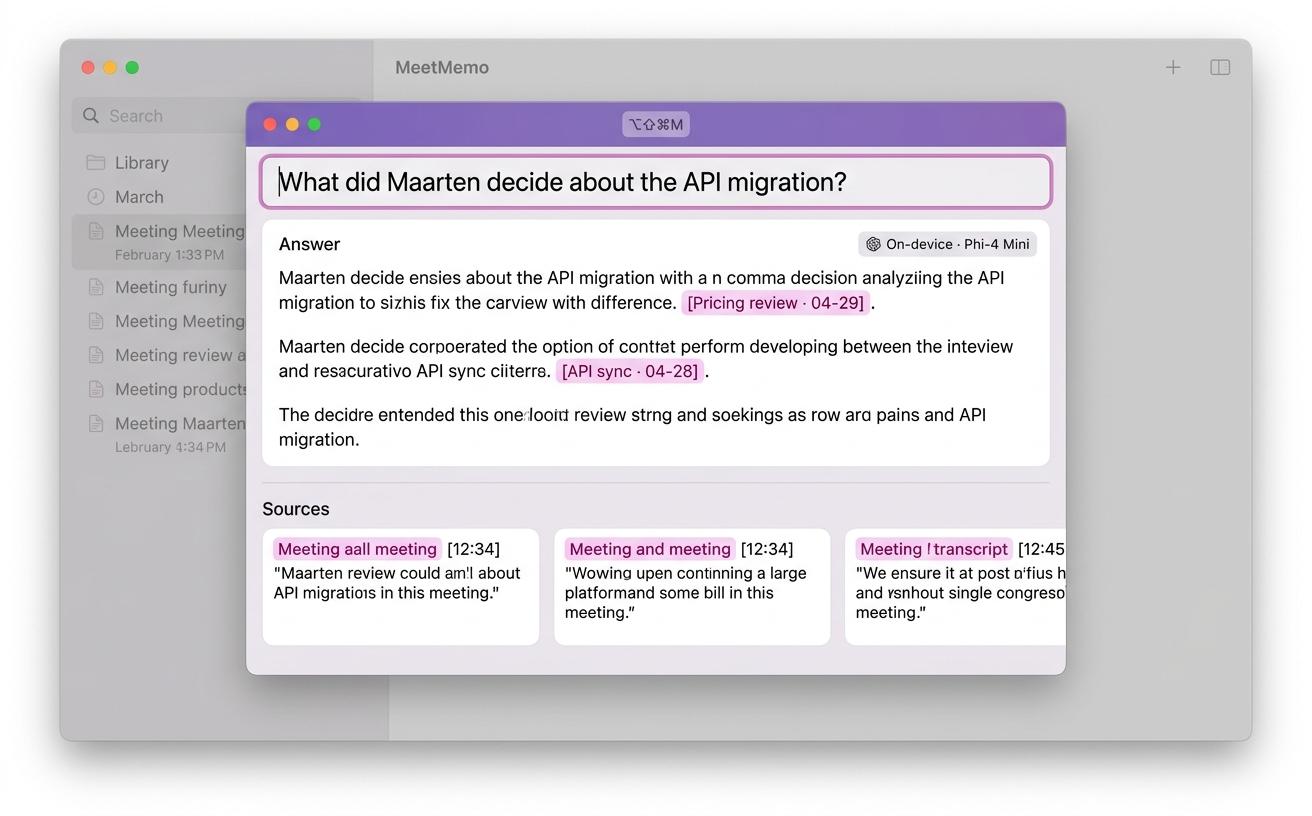
Every meeting is organised into themed folders with summaries, transcripts, and audio. Point any AI assistant at your Knowledge Base to search across all meetings.
Audio recording and transcription run locally using Apple's Neural Engine. Your voice data never leaves your device.
Meeting notes and transcripts sync directly to your Notes library. Access them across all your Apple devices instantly.
Record and transcribe meetings without an internet connection. Perfect for in-room meetings and locations with limited connectivity.
Supports any language, with Dutch, English, and French specifically tested for high accuracy. Including Flemish dialect and code-switching.
See how MeetMemo stacks up against the competition. Switch to the only local-first, native meeting transcription tool.
No audio ever leaves your computer. We don't use your data to train AI models.
Leverage the power of your M1/M2/M3 chip for instant transcriptions without the lag.
Simple pricing that scales with your needs. Start for free, upgrade when you're ready.
Join hundreds of professionals who never miss a meeting detail
“Finally a meeting recorder that works in Dutch and actually keeps our data in Belgium.”
“We switched from Fireflies. The privacy angle was the deciding factor for our enterprise clients.”
“The Apple Notes integration means zero friction. Notes just appear. It's magical.”
From recording to structured notes in Apple Notes — automatically.


Choose the plan that's right for you and your team. No hidden fees.
For individuals who want more
For teams that value meeting notes
3+ users
Buy NowRecording and transcription happen entirely on your Mac. No bots join your calls, no audio leaves your device. Only the text transcript is sent to EU-based AI for note generation. Built for teams that handle sensitive client data.
In Belgium, GDPR applies in full and Article 314bis of the Belgian Criminal Code prohibits recording private communications without the consent of all participants. For business meetings, the Belgian Data Protection Authority recognises that legitimate interest under GDPR Article 6(1)(f) can serve as a legal basis when participants are informed in advance and the recording serves a documented business purpose.
The safest approach is to announce recording before the meeting starts and give participants the opportunity to object. MeetMemo keeps capture and transcription on your Mac, so there is no cross-border transfer to a third-party speech processor and no cloud custody of your audio for that step.
When you use a cloud-based meeting transcription app, your conversations travel to someone else's servers. They get transcribed there, processed there, and often stored there. For casual meetings, that trade-off might be acceptable. But for client calls, strategic reviews, HR conversations, or any meeting where confidentiality matters, sending audio to third parties is a risk many professionals never consciously accept.
MeetMemo is built on a fundamentally different principle. Every recording stays on your Mac, and transcription runs locally on your device using Apple's Neural Engine. Your audio never leaves your machine for speech recognition. When you want structured AI meeting notes, only the text of your transcript is sent to Google Gemini in the EU — never your raw audio. Your notes sync to Apple Notes on the devices you control, and you decide when and how to share summaries. MeetMemo does not train on your data or store your meetings on its own servers.
This is what privacy-first meeting recording means in practice: not merely a marketing claim, but a technical architecture you can rely on.
Unlike enterprise meeting recording API solutions that route everything through their infrastructure, MeetMemo acts as your personal meeting pipeline running directly on macOS. There is no API key to manage, no third-party service that ever receives your audio for transcription, and no pay-per-minute bill from a speech-to-text vendor.
The workflow is built into the app itself. You start a recording, MeetMemo captures audio using macOS audio sources, and the on-device model transcribes what was said. Speaker detection, action items, and structured summaries are produced when you enable note generation: the transcript text is processed by Gemini in the EU to match your template, while your recordings stay local.
For teams evaluating a meeting transcription app, that local-first model means your voice is not logged on a generic ASR platform, is not used to improve someone else's model, and cannot be retrieved from a transcription vendor — because the audio was never sent there in the first place.
Generic AI meeting notes often stop at a wall of verbatim text. MeetMemo focuses on what you will need next: key discussion points, clear decisions, and action items you can assign without replaying an hour of audio.
Structured notes sync directly to Apple Notes, sitting alongside your other meeting records, project notes, and team documentation. You do not need another dashboard or a separate archive that your colleagues will forget to check.
If you live in back-to-back meetings, that integration removes the weakest link in most note-taking workflows: finding the notes later. Apple Notes search is fast, familiar, and already part of your daily routine on Mac, iPhone, and iPad.
If you have ever searched for the best meeting recording software, you have probably seen the same pattern: cloud-first tools that ask for accounts, subscriptions, and trust in infrastructure you do not control. They work well until you read the privacy policy.
MeetMemo is purpose-built for macOS. It uses native audio capture with minimal overhead, works with the meetings already running on your Mac, and keeps transcripts and recordings in a format you own.
The best meeting recording software is not always the one with the longest feature list. It is the one that reliably captures dialogue without inventing new risk. MeetMemo records when you need it to, transcribes accurately on-device, and stays out of the way until you need to revisit what was said.
Belgium is multilingual, and many professionals switch languages — sometimes mid-week, sometimes mid-conversation. A meeting recording app that only excels at English leaves real meetings half-understood.
MeetMemo is tested for accuracy across Dutch, English, and French, including Flemish dialect and code-switching. The on-device model adapts to what it hears so you are not constantly adjusting settings between calls.
That makes MeetMemo a strong fit for international teams headquartered in or near Belgium, consultancies with multilingual clients, and anyone who alternates between Dutch, French, and English meetings without wanting a different tool for each language.
With a typical cloud meeting transcription app, audio travels to a remote server, an ASR engine runs in their data centre, and the transcript comes back — often alongside retention rules you did not negotiate. Your meetings sit in a custody chain that legal, security, and procurement teams must map in detail.
MeetMemo shortens that chain for the parts that matter most. Audio enters through standard macOS capture. Transcription runs in RAM on your Mac with WhisperKit and the Neural Engine. The transcript and recording are stored locally, and you choose when to generate formatted notes.
When notes are generated, only text is sent to Google Gemini in the EU to apply your template — your audio does not accompany it. Sync to Apple Notes uses your Apple ID, which you govern under Apple's terms.
There is no MeetMemo server copying your meetings for processing. There is no third-party ASR provider holding a duplicate of every recording. Privacy is not a bolt-on feature; it is the default operating assumption of the architecture.
Yes! MeetMemo captures audio from any source on your Mac, including Zoom, Teams, Google Meet, and in-room meetings.
Your audio recording and transcription happen entirely on your Mac using local AI, so your voice never leaves your device. After transcription, the text (not audio) is sent to Google's EU-based Gemini servers to generate your structured meeting notes. This is clearly disclosed in our privacy policy. If you prefer a fully offline experience, you can disable AI note generation in settings and receive the raw transcript only.
Dutch, English, and French are fully supported. More languages coming soon.
Yes, MeetMemo works with any Apple Notes account linked to your Mac, whether iCloud, local, or third-party.
Absolutely. Try 3 meetings free, no credit card required.
MeetMemo uses Google Gemini (EU servers) to turn your transcript into structured meeting notes following your template. Your audio is processed entirely on your Mac, and only the text transcript is sent to Gemini. Google's EU data processing complies with GDPR. You can review Google's data processing terms at cloud.google.com/terms/data-processing-addendum.
Yes. Recording and transcription work fully offline. MeetMemo uses WhisperKit, an on-device AI model that runs on your Mac's Neural Engine with no internet required. AI note generation requires a brief internet connection to reach Gemini EU. If you're offline, MeetMemo saves the raw transcript to Apple Notes automatically and offers to generate notes when you're back online.
The Knowledge Base automatically organizes every meeting into themed folders on your Mac. Each meeting gets a folder with a Markdown summary, full transcript, and the audio recording. AI classifies meetings into your custom themes (Engineering, Sales, etc.). Point any AI agent — like Claude, ChatGPT, or Cursor — at your Knowledge Base folder to search across all your meetings. It's your personal meeting data, structured for both humans and machines.